Join StackHawk at RSAC 2026 | Moscone Center, San Francisco Discover
StackHawk logo featuring a stylized hawk icon on the left and STACKHAWK in bold, uppercase letters to the right. The white text and icon on a light gray background reflect its focus on Shift-Left Security in CI/CD.

StackHawk + Atlassian

StackHawk integrates natively into your Atlassian tools and development workflows to help you automate application and API security testing to quickly find and fix vulnerabilities.
Two overlapping squares on a dark background: the top left square features a blue abstract logo, while the bottom right displays a white stylized bird logo inside a hexagon, symbolizing Shift-Left Security in CI/CD. Light lines connect both squares.

Automate Security Testing as part
of your Atlassian Build Pipeline

StackHawk can be run as part of your CI/CD pipeline with Atlassian Bamboo and Bitbucket Cloud. Automatically scan applications that have been deployed to your environment and fix security issues in your code before pushing to production.

Atlassian Bamboo and Bitbucket logos with StackHawk logo

Actionable Security Feedback in Jira

Vulnerability data from StackHawk can be viewed in the new Security tab in Jira, better enabling shift-left security testing to find and fix vulnerabilities before they hit production.
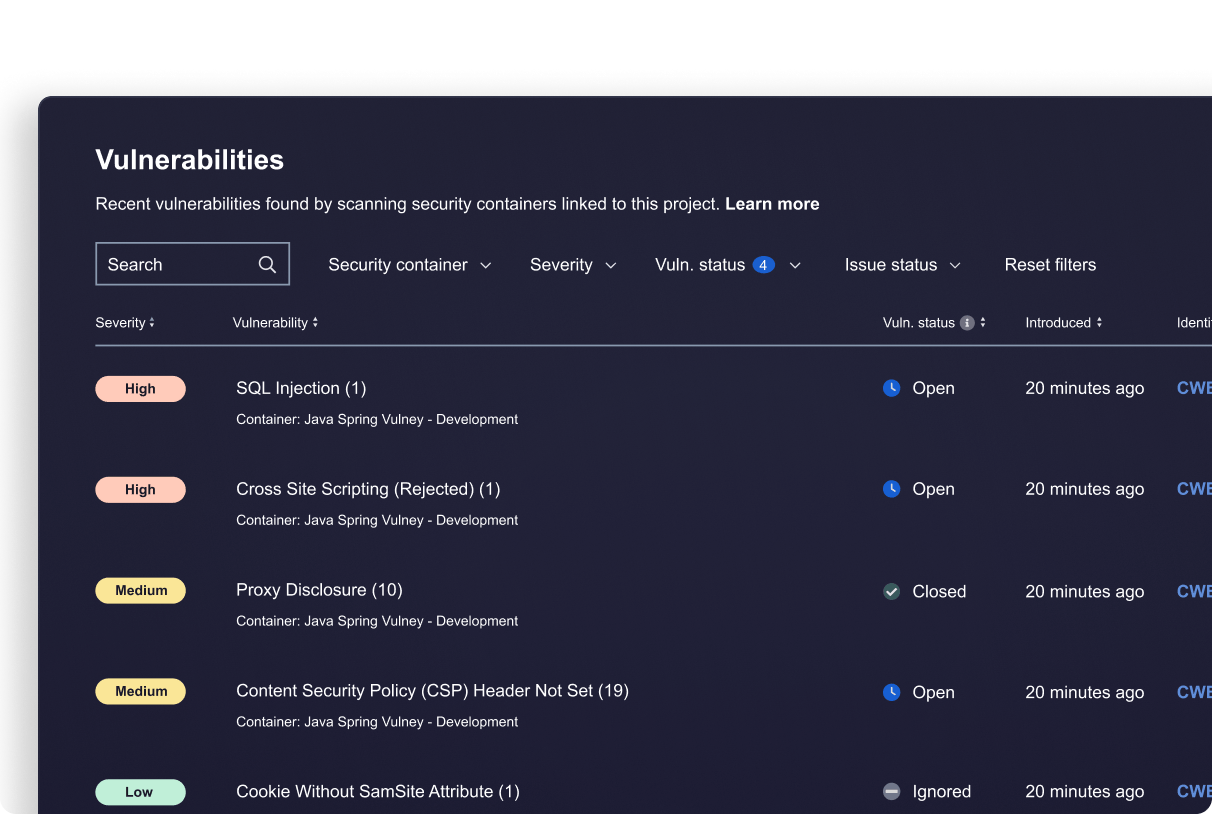
Jira Security screenshot
A teal line drawing of a rectangular box with a large eye symbol on the front, set against a light blue background, represents API Attack Surface Discovery.

Increase Visibility

Improve collaboration between security and development teams by bringing vulnerability data and actionable insights from StackHawk into a centralized location within Jira.

A turquoise line drawing of a web browser window with a wrench in front, symbolizing Dynamic Application Security Testing (DAST) tools and website settings on a light blue background.

Efficiently Triage

Quickly link vulnerabilities to Jira issues and create and assign tickets to triage and remediate security issues within your existing Jira developer workflows.

A simple turquoise line drawing of a circular shield or badge with a checkmark in the center, shown at an angle on a light blue background, symbolizes AppSec Risk Prioritization for effective runtime vulnerability detection.

Reduce Risk

Get a comprehensive, unified view of security issues that pose a risk to your organization within Jira Cloud along with the full context from StackHawk needed to quickly prioritize and take action.

Interested in seeing StackHawk at work?

Schedule time with our team for a live demo.

M

See StackHawk in Action

Schedule a 30-minute live product demo with expert Q&A

G2 Reviews logo

 4.6 | 68 Reviews

"*" indicates required fields

Name*

For more information about how StackHawk handles your personal data, please see our Privacy Policy.