Join StackHawk at RSAC 2026 | Moscone Center, San Francisco Discover
StackHawk logo featuring a stylized hawk icon on the left and STACKHAWK in bold, uppercase letters to the right. The white text and icon on a light gray background reflect its focus on Shift-Left Security in CI/CD.

LLM Security Testing Built Into Your AppSec Workflow

Identify prompt injection, sensitive data leaks, and output handling flaws before they reach production. StackHawk tests applications against common LLM risks as part of our runtime testing integrated into your CI/CD workflow.

FinTech API Security Icon Image

LLM Security Risks Are Application Security Risks

Developers are embedding LLM capabilities directly into applications faster than security teams can track them. These aren’t bolt-on features—they’re deeply integrated into application logic that only runtime testing can detect. You don’t need a separate tool to manage; you need LLM test coverage built into your existing AppSec workflow.
Two dark rectangles connected by a bar reading Ask anything.... The left rectangle shows chat bubble icons, while the right displays a shield with a checkmark, evoking Dynamic Application Security Testing (DAST), on a light geometric background.

Runtime Testing Finds Real LLM Risks

You can’t find prompt injection by reading source code—you need to test how applications behave when attackers manipulate prompts and whether proper validation exists. StackHawk tests the actual runtime behavior of your application in your pre-production environment.
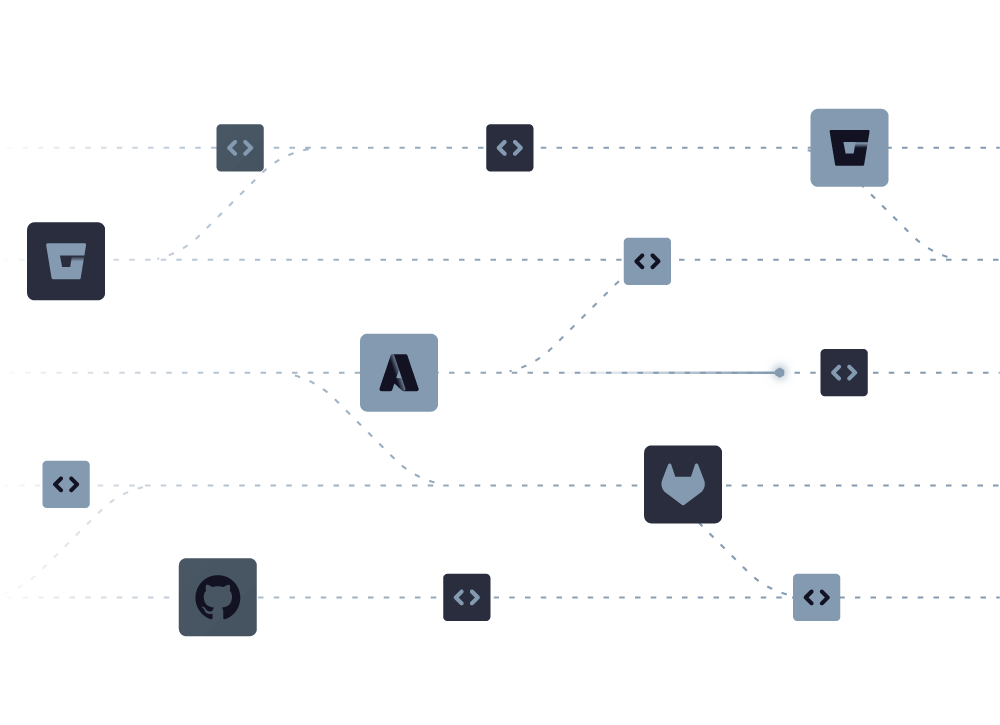
A minimalist diagram displays code repositories and dev tools (GitHub, GitLab, Bitbucket) connected by dotted lines, symbolizing Shift-Left Security in CI/CD and networked workflows on a light background.

Native Integration, Not Another Tool
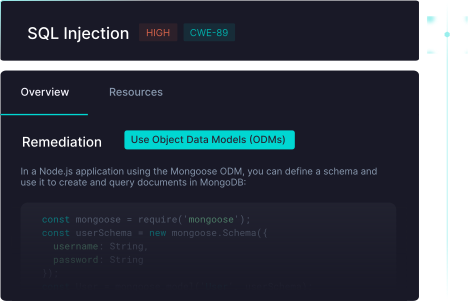
LLM security testing runs alongside your existing StackHawk scans in CI/CD. Findings are surfaced directly to developers with the same context and remediation guidance they expect—no separate platform to manage.
A web interface displays a warning about SQL Injection (high severity, CWE-89). The Remediation section highlights API Attack Surface Discovery and suggests using Object Data Models (ODMs) with a Node.js Mongoose snippet for MongoDB.

Developer Education While Code Is Fresh

When developers see prompt injection findings with working proof-of-concept exploits, they learn to build secure LLM integrations from the start. You’re not just catching vulnerabilities—you’re future-proofing your AppSec program.

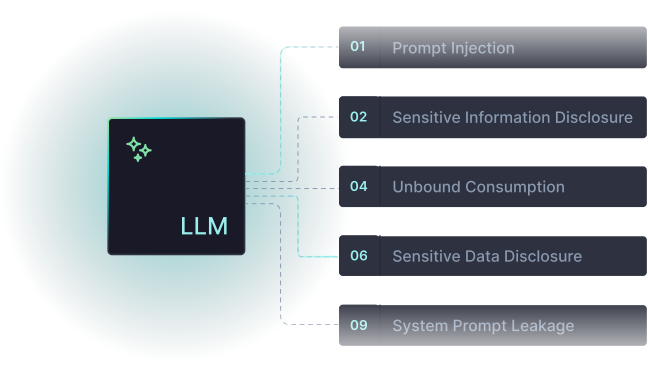
Five Critical OWASP LLM Top 10 Vulnerabilities Detected

StackHawk automatically uncovers all the LLM risks that are relevant to application development using specialized attack patterns during runtime testing. No configuration required—if your application has LLM integrations, we automatically test for relevant vulnerabilities.
A teal outline of a dropper releasing a single droplet, set against a pale blue background, symbolizes the precision of AppSec Risk Prioritization in modern security workflows.

LLM01: Prompt Injection

Detects when attackers can manipulate prompts to override system instructions, bypass safety controls, or extract other customers’ data through crafted inputs.

A simple turquoise icon of a curved, vertical sheet of paper with horizontal lines, symbolizing AppSec Risk Prioritization or document analysis, on a light blue background.

LLM02: Sensitive Data Disclosure

Identifies when LLMs leak customer PII, API keys, internal system details, or proprietary business logic through responses to carefully constructed prompts.

A blue outline icon of a speech bubble containing coding symbols, resembling a terminal or code snippet, on a light blue background—ideal for representing Dynamic Application Security Testing (DAST) processes.

LLM05: Improper Output Handling

Catches vulnerabilities where unvalidated LLM outputs get used in SQL queries, system commands, or API calls—turning the LLM into an injection attack vector.

A teal outline of a speech bubble with an exclamation mark inside, drawn on a light blue background, represents API Attack Surface Discovery—highlighting the importance of identifying risks early for effective API security.

LLM07: System Prompt Leakage

Finds when attackers can extract system instructions, hidden prompts, or internal configuration, providing a roadmap for sophisticated attacks.

A turquoise, three-dimensional infinity symbol is depicted on a light blue background, representing the continuous cycle of Shift-Left Security in CI/CD.

LLM10: Unbound Consumption

Detects missing rate limits or resource controls that allow attackers to rack up API costs or create denial-of-service conditions.
Two dark squares with simple teal line icons—one of a pillow, the other of a shield—connected by lines over a faint, abstract background resembling a stylized bird, symbolizing Shift-Left Security in CI/CD.

Learn More About LLM Security Risks

Explore the complete OWASP LLM Top 10 and learn why these risks require a different approach than traditional AppSec testing.

Start Testing for LLM Risks Today

See how StackHawk enables security teams to stay ahead of AI-accelerated development with comprehensive LLM vulnerability testing built into developer workflows.