
Testing for OWASP Top 10, Automated in CI/CD
Confidently Ship Secure Applications
No one wants to introduce vulnerabilities into production. With StackHawk’s automated application security testing, you can ensure that you are alerted when your team introduces a new security bug. Stop finding out about vulnerabilities from your customers or quarterly pen-tests. Catch OWASP Top 10 vulnerabilities (and much more) before they released.
Find, Triage, and Fix Vulnerabilities
Application Security for Modern Engineering
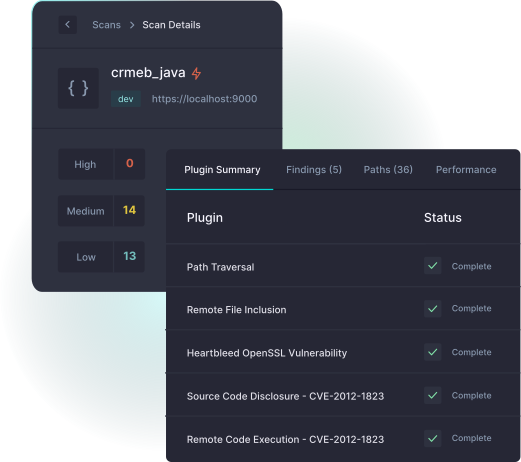
Finding application security vulnerabilities such as the OWASP Top 10 is simple with StackHawk. The scanner runs a robust test suite to identify any potential security bugs.
- Lightning fast security scanner
- Test HTML, Single Page Apps, REST APIs, & GraphQL
- Testing for microservices pre-production
- Built on trusted open-source ZAP
Automated Testing in CI/CD
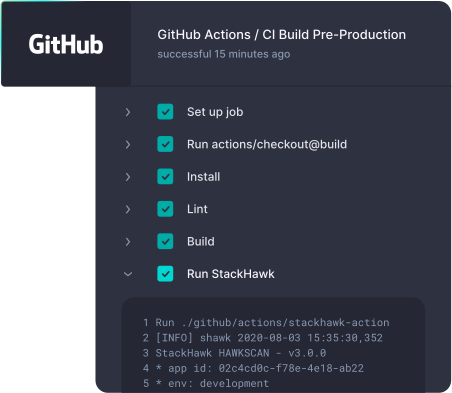
With security testing integrated into the DevOps pipeline, you can be sure to catch issues before they hit production and while still in context of the code your team is working on.
- Ephemeral scans with Docker-based scanner
- Manage configuration as code
- Configurable pass / fail rules
- Issues triage for previously seen issues
Developer-Centric Security Tooling
When a OWASP Top 10 vulnerability is identified, StackHawk equips developers with all of the tools needed for self-service traige and remediation.
- Clear request / response for findings
- Vulnerability overviews and fix documentation
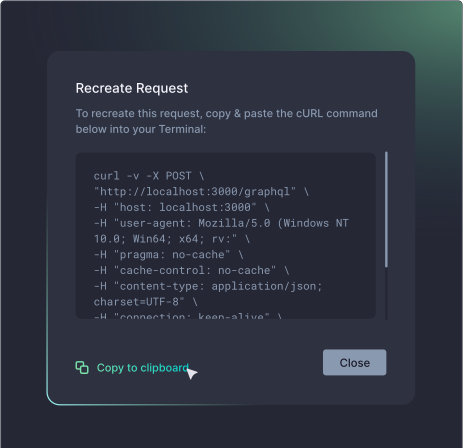
- cURL command generator for debug
- Scan locally to validate fixes
Security as Part of Your Engineering Workflow
Tie your application security testing into existing engineering workflows, allowing your team to focus on core engineering work unless a new vulnerability is identified.
- Simple CI/CD integration for automated testing
- Issues tracking integrations for bugs
- Get alerting on scans and findings in popular chat tools
- Manage configuration in your code repository
Get Hands-on Experience. Give Us a Test Drive!
We know you might want to test drive a full version of security software before you talk to us. So, Get It On!