Semgrep
 GitHub
 Snyk
Snyk Endor Labs
 AWS
AWS



Traditional DAST was built for security teams to test applications in production on their own schedule. True shift-left DAST is fundamentally different.
If you want to scale dynamic testing at the pace of modern development (i.e. the goal of shifting runtime testing left), it has to actually integrate into developer workflows, run fast enough for continuous testing, and surface findings that developers can actually fix.
Here’s the challenge: DAST is harder to implement than SAST. Static analysis can often be rolled out with minimal configuration—point it at a repo and go. Dynamic testing requires more upfront work: running applications, configuring authentication, setting up test environments, and tuning for your specific APIs. That complexity is exactly why so many DAST implementations stall after a pilot.
But it’s also why the payoff is higher. DAST finds the vulnerabilities that actually matter in production—authentication bypasses, injection flaws that only surface at runtime, and business logic issues that static analysis simply can’t see. The question isn’t whether DAST is worth the effort. It’s whether you build the foundation to capture that value at scale.
That foundation is what we call the “paved road” and it’s the focus of this post.
The 3 Pillars of Shift-Left DAST Requirements
Before we get into the tactical milestones, let’s establish what effective shift-left DAST actually requires. These requirements fall into three categories: what you’re testing, where testing happens, and how tests run.
What Is Tested
Your DAST solution needs to support modern applications and APIs (REST, GraphQL, gRPC, microservices), provide not only comprehensive OWASP Top 10 coverage, but also include business logic testing for authentication bypasses and authorization issues, and—if applicable to your stack—address emerging AI/LLM risks like prompt injection.
Where Testing Happens
Tests must run integrated in CI/CD (GitHub Actions, Jenkins, GitLab CI, CircleCI), against pre-production environments with realistic data, within developer workflows including local testing and PR gates, and with code context that connects findings to the actual source.
How Tests Run
Runtime/dynamic testing means sending actual HTTP requests against running applications, with developer-owned remediation where developers receive, triage, and fix findings in their workflow. Critically, scans must run fast (under 10 minutes to complete within standard build pipelines) and have low false positive rates (to maintain developer trust) so developers actually fix what they find.
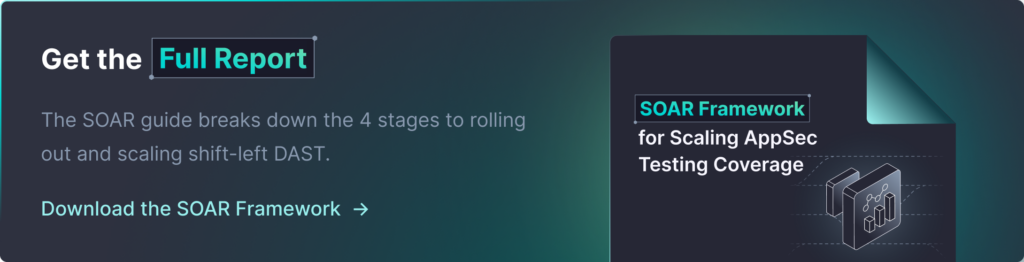
Get the complete requirements breakdown in the full SOAR Framework.
What is a “Paved Road”?
If you’ve completed a successful runtime testing pilot, you’ve proven that shift-left DAST works in your environment. But here’s the honest truth: the way you onboarded those pilot apps probably won’t scale. If AppSec engineers had to manually configure every application, create custom authentication setups, and hand-hold developers through the process, you’ve created a bottleneck that will prevent you from ever getting beyond a handful of applications.
The “paved road” is your answer to that bottleneck.
It includes standardized templates, clear documentation, and repeatable processes that allow development teams to self-onboard without custom AppSec configuration help. Think of it like building a highway: once the road is paved with clear signposts, traffic flows without needing a new guide for every car.
The goal is to make security testing feel like a natural part of how your development teams build, test, and release software.
The 6 Milestones for Building Your Paved Road
These six milestones will help you build a DAST foundation that actually scales. Complete these during your early expansion phases, and you’ll remove the bottlenecks that prevent most DAST implementations from achieving meaningful coverage.
Milestone 1: Config Standards & Templates
Your configuration templates are the backbone of self-service onboarding. Without them, every new application requires custom AppSec configuration, and your program will stall at a handful of apps indefinitely.
Use API documentation to define application targets for testing prioritization. Then build reusable YAML templates for common patterns: REST APIs, GraphQL endpoints, various authentication types, and your standard architectures.
Create authentication configuration templates based on what you learned during your pilot. If most of your applications use OAuth2 with a specific identity provider, document that setup once and make it reusable. Same for API key authentication, session-based auth, or any custom flows.
Pro tip: Your templates should cover 80% of cases out of the box. Don’t try to handle every edge case initially. Focus on making the common path frictionless first.
Milestone 2: Developer Onboarding & Training
Even the best templates are useless if developers don’t know they exist or how to use them.
Define your target personas first. Platform engineers comfortable with YAML? Backend developers who understand APIs but rarely touch pipelines? Each persona may need different levels of support.
Create a self-service onboarding guide that walks developers through the entire process: requesting access, copying the appropriate template, configuring their application, integrating with CI/CD, and understanding results. This guide should be comprehensive enough that most teams can complete onboarding without AppSec involvement.
Pro tip: Schedule brief training sessions (30-60 minutes) for each wave of new teams, and record them for future reference. Back it up with a dedicated Slack/Teams channel where teams can ask questions and share learnings. This builds community and reduces AppSec support burden.
Milestone 3: CI/CD Integration Templates
This is where shift-left becomes real. Your CI/CD templates determine whether security testing feels like a natural part of development or an annoying step developers will work around. These should be copy-paste-ready with clear placeholders for application-specific values.
At the same time, document local testing options for developers who want to run scans before pushing code. If your organization uses Kubernetes, provide deployment configurations (Helm charts, standard YAML) that teams can reference.
Pro tip: Make templates fail gracefully during initial onboarding. Consider a “monitoring mode” where scans report findings without breaking builds, giving teams time to address results before enforcing gates.
Milestone 4: Governance & Ownership
This milestone answers questions that become contentious later if you don’t address them upfront. Define your pipeline ownership model. Will dev teams own their security testing configuration entirely? Will a central platform team manage scanning as shared infrastructure? Or a hybrid approach?
Document your approval process for configuration changes. If a team wants to disable certain checks or modify severity thresholds, what’s the review process? Who approves exceptions?
Establish consistency standards: minimum scan frequencies, severity thresholds for blocking releases, mandatory coverage for certain application types.
Pro tip: Document your governance model before you need it. Having clear policies when a conflict arises is much easier than creating policy in the heat of disagreement.
Milestone 5: Infrastructure & IT Setup
Security testing tools need to talk to your applications, CI/CD systems, and networks. This milestone ensures infrastructure supports testing at scale. Configure corporate firewall rules and certificate authorities so scanning tools can connect to test environments. Many organizations discover during pilot that network security blocks the very scanning they’re trying to implement—solve this proactively.
Ensure Docker image availability across environments and set up network policies for CI/CD runners that execute scans. Document required connectivity and work with infrastructure teams to enable it organization-wide.
Pro tip: Create a troubleshooting guide for network and infrastructure issues. When scans fail, help teams diagnose quickly whether it’s a security testing problem or an infrastructure problem.
Milestone 6: Edge Cases Identification
Note that templates likely won’t get you 100% automated, as not every application will fit neatly into your standard templates. Be prepared to handle exceptions without creating chaos by documenting specialized configurations for monolithic applications or legacy systems that don’t follow standard patterns. Create custom templates for complex authentication flows—SSO integrations, MFA, custom token schemes.
Plan alternative onboarding approaches for systems that can’t reasonably use your standard shift-left patterns. Sometimes the right answer is a different testing approach rather than forcing a square peg into a round hole.
Pro tip: Track which applications require edge case handling and why, and set clear expectations for when and how these edge cases will be addressed. Documentation is crucial, as patterns in your edge cases often reveal opportunities to improve your standard templates.
Your Paved Road Enables Scale Without Scaling Headcount
The investment you make in building your paved road pays dividends every time a new team onboards without needing hand-holding, every time a developer finds and fixes a vulnerability before it reaches production, and every time you report improved coverage metrics to leadership without having added headcount.
Red flags that indicate your paved road isn’t working:
- Every new team needs custom AppSec configuration help to onboard
- Teams are building workarounds to avoid security scans in their pipelines
- The same questions keep coming up in your support channels
- Onboarding velocity has plateaued while your application inventory keeps growing
Success indicators:
- Teams complete onboarding without AppSec involvement
- Developer satisfaction with security tooling is trending positive
- Your AppSec team is spending time on program improvement rather than repetitive configuration
- Coverage is expanding faster than it did during your pilot phase
This is how you scale AppSec in the era of AI-accelerated development. Not by hiring proportionally more security engineers, but by building systems that multiply the impact of the team you have.
Ready to build your paved road? Download the Complete SOAR Framework for detailed templates, checklists, and implementation guidance. Or schedule a demo to see how StackHawk can help you implement shift-left DAST at scale.