

You’ve built an API. It works in development. But how do you know it can handle what the real world will throw at it?
API testing helps you catch vulnerabilities before they reach production and ensure that performance meets user expectations. But to do this effectively, you need a systematic approach to API test cases that cover success scenarios, edge cases, and failure modes.
This guide will walk through practical API testing examples that actually find bugs. You’ll learn:
- The what and why of API testing
- What exactly you need to test
- How to structure test cases
- Which tools make testing easier
- How to automate parts of the process in your CI/CD pipeline
What is API Testing?
API testing validates that your endpoints meet requirements from a functionality, reliability, performance, and security perspective. This testing is done right at the API level (even if the APIs are later consumed through a UI), which means you’ll be sending HTTP requests with specific payloads, headers, and parameters, then validating response codes, data structures, and behavior.
Unlike UI testing, API testing examines the contract between services directly. You verify that endpoints handle expected inputs correctly, reject invalid data appropriately, enforce authentication and authorization, and meet performance needs that you’ve outlined. This approach provides faster feedback, better test coverage of business logic, and more reliable test execution than testing through a user interface (although you’ll test end-to-end functionality at some point as well).
Automation is critical for API testing. Automated test suites can execute hundreds of test cases in seconds to minutes, integrate seamlessly into CI/CD pipelines, and catch regressions immediately when code changes. API testing is the foundation of continuous delivery practices, and many of the tools that support API testing focus on integrating there for this exact purpose.
Why API Testing Matters
API testing catches bugs early in the development lifecycle when creating APIs. By identifying and addressing issues at this stage, developers can prevent them from escalating into more complex problems, saving time and resources. APIs tend to be part of the foundation of most systems, so ensuring that they work as expected helps later stages of development and testing run more quickly as well.
API testing allows for improved test coverage compared to traditional UI testing. It can probe deeper into the application’s core functionality, including business logic and data responses, ensuring that all critical components are thoroughly examined. This leads to higher software quality and reduces the risk of unexpected behavior once the APIs get plugged in later. Overall, making sure that APIs are tested thoroughly and early leads to easier development of downstream applications and UIs.
Understanding API Documentation for Testing
Whether it’s hand-formatted API documentation or something that adheres to a well-known standard, such as an OpenAPI spec, API documentation helps to outline everything you need to know about the API. This includes functionalities, endpoints, request methods, parameters, and expected responses. It also details what features the API supports, such as authentication, pagination, and rate limiting. Every aspect of the API can be read or interpreted here before even going ahead with testing. Complete documentation for your APIs is really important, so you can:
Identify Test Scope and Create Test Cases
Good documentation gives you a clear picture of what the API can do. This helps you set up the boundaries for your tests and create test cases that cover every important function. For each endpoint, the documentation tells you which request parameters, headers, and response codes to expect so you know exactly what you’re testing and why.
Understand Expected Behavior and Troubleshoot Errors
The documentation outlines how the API should behave under different conditions so you’ll know if it’s working as expected. This is your go-to resource if you hit unexpected results or error codes. Often, you’ll find detailed descriptions of error codes and what they mean, which can speed up troubleshooting and help you resolve issues faster.
Types of API Testing
API testing covers a range of test types, each examining a different aspect of the API’s functionality and performance. These include functional, security, performance, compliance, and contract testing. Creating and automating test cases for each type ensures thorough testing and helps teams catch issues early.
Regardless of the type of API testing, making sure that test cases are written correctly is an important part of getting accurate test results. Here are the most common types:
| API Testing Type | Description |
| Functional Testing | Ensures each part of the API works as expected. Checks specific endpoints, request methods, and parameters to verify they produce the correct responses based on their design. |
| Performance and Load Testing | Evaluates how the API handles various demands. Identifies potential bottlenecks by examining response time, stability, and scalability. Simulates high user demand to assess performance under pressure. |
| Security Testing | Focuses on identifying vulnerabilities that could leave the API open to attacks. Tests authentication, authorization, and data encryption to ensure sensitive data is protected and only authorized users can access specific functions. |
| Contract Testing | Verifies that the API sticks to its “contract” with consumers—ensuring it meets expectations around response data formats and structure. Prevents breaking integrations when API contracts change unexpectedly. |
| Integration Testing | Checks how well the API interacts with other parts of the application or external systems. Catches issues with data flow between components and ensures the API works smoothly within the larger system. |
Best Practices for Writing Effective Test Cases for APIs
Writing clear, effective test cases is key to successful API testing. Each test case should focus on a specific aspect of the API, laying out the inputs you’ll use, the expected results, and the steps you’ll follow. Here’s what makes a solid API test case:
1. Define the Test Objective
Start by clearly stating the purpose of the test. What specific part of the API are you checking? For example, “Verify that a new user can be created successfully.”
2. Identify the API Endpoint
Specify the exact endpoint you’re testing, including the URL and any path parameters. This keeps things focused and ensures you’re testing the right part of the API.
3. Specify Request Details
Outline the HTTP method (GET, POST, PUT, DELETE, etc.) and any necessary headers, like authorization tokens or content types. If the request requires data (like a POST or PUT), detail what needs to go in the body, often in JSON or XML format.
4. Outline Test Steps
Lay out each step in sequence: send the request, receive the response, and note specific parts of the response that need validation.
5. Define Expected Outcome
Clearly state what should happen. This includes verifying the expected response status code (like 200 OK for a successful request) and detailing the structure or content of the response data, expected values, and data types.
6. Include Assertions
Assertions are key for automating tests, as they compare the actual outcome with the expected one. Including assertions lets you know instantly if the test passed or failed.
Example Test Case Structure
Here is what this would look like in a highly simplified fashion:
| Field | Description |
| Test Case ID | API_USER_001 |
| Objective | Verify successful user creation with valid data |
| Endpoint | POST /api/v1/users |
| Method | POST |
| Headers | Content-Type: application/json |
| Request Body | {“username”: “testuser”, “email”: “test@example.com”, “password”: “Pass123!”} |
| Expected Status | 201 Created |
| Expected Response | JSON with user id, username, email (no password) |
| Assertions | Status = 201, response has id field, password not in response |
Detailed Example
In most cases, we would want to be more detailed than the example above, especially when it comes to guiding the teams or tools that will be executing the tests. Here are some more in-depth details that would likely be included:
Objective: Verify successful user creation.
Endpoint: POST /users
Method: POST
Headers: Content-Type: application/json
Body:
{
  "username": "testuser",
  "email": "testuser@example.com",
  "password": "password123"
}
Steps:
- Send the POST request to the /users endpoint with the provided headers and body
- Receive the API response
Expected Outcome:
- Status Code: 201 Created
- Response Body: JSON object containing the newly created user’s details
Assertions:
- Assert that the status code is 201
- Assert that the response body contains the user’s username, email, and a unique user ID
- Assert that the password is not included in the response
This more detailed test case shows pretty much every facet that a test should cover, including steps, detailed responses, and more comprehensive assertions. This could then be translated into code, which could then become a comprehensive test that can be executed automatically against the API either locally by a developer or in CI/CD.
Status Codes and Error Handling
Although we often think about validating what is in the response body as part of a test, status codes are equally important for API testing. Ideally, they will tell you exactly what happened with each request. This means that every API request should return an appropriate status code that clearly communicates the outcome.
When designing test cases, include scenarios that validate your API’s response to both valid and invalid inputs. This means checking not only that your API returns the correct status code for successful operations, but also that it handles errors gracefully. For example, verify your API returns a 401 Unauthorized status code with a meaningful error message when invalid credentials are provided. Test cases should also check that your API returns a 400 Bad Request when required parameters are missing or malformed, and any other status codes which are applicable to your API’s functionality (usually documented in your API documentation/spec)
Common Status Codes to Test
Here are some of the most common API status codes you should test for and what they mean:
| Code | Meaning | What to Test |
| 200 | OK | Valid requests return correct data |
| 201 | Created | Resource created successfully with new ID |
| 204 | No Content | Successful deletion with no response body |
| 400 | Bad Request | Missing/invalid parameters rejected with clear error |
| 401 | Unauthorized | Requests without auth are blocked |
| 403 | Forbidden | Authenticated users can’t access unauthorized resources |
| 404 | Not Found | Non-existent resources return appropriate error |
| 409 | Conflict | Duplicate resources (emails, usernames) rejected |
| 429 | Too Many Requests | Rate limiting enforced correctly |
| 500 | Server Error | Server errors logged and investigated |
By thoroughly testing status codes and error handling, you ensure that your API returns clear, actionable error messages and behaves predictably in the face of unexpected conditions. This helps developers debug issues more efficiently and provides a better experience for end users and third-party integrators.
API Testing Checklist
As you can see, API testing involves many moving parts. To make sure that you’ve touched on everything that you should to make sure your testing is effective and complete, here’s a practical checklist to guide you through each stage:
Before Testing
- Review API documentation to understand functions, endpoints, and expected behavior
- Define the testing scope based on risk, importance, and business requirements
- Set up the test environment with the necessary tools and test data
During Testing
- Measure response times under different conditions
- Validate response body and status code match expectations
- Validate response headers are set correctly
- Verify data format and validation (JSON, XML)
- Test edge cases and boundary conditions
- Test authentication (missing/invalid tokens)
- Test authorization (access control)
- Explore error scenarios with invalid data
After Testing
- Document test results, including successes and failures
- Report and track bugs found during testing with clear reproduction steps
- Continuously monitor the API in production
Tools and Frameworks for API Testing
The right tools can significantly streamline your testing process, enabling you to automate tests, analyze results, and improve efficiency. Fortunately, many popular API testing tools and frameworks are available to help you achieve these goals. Here’s a list of some of the most popular tools available:
StackHawk

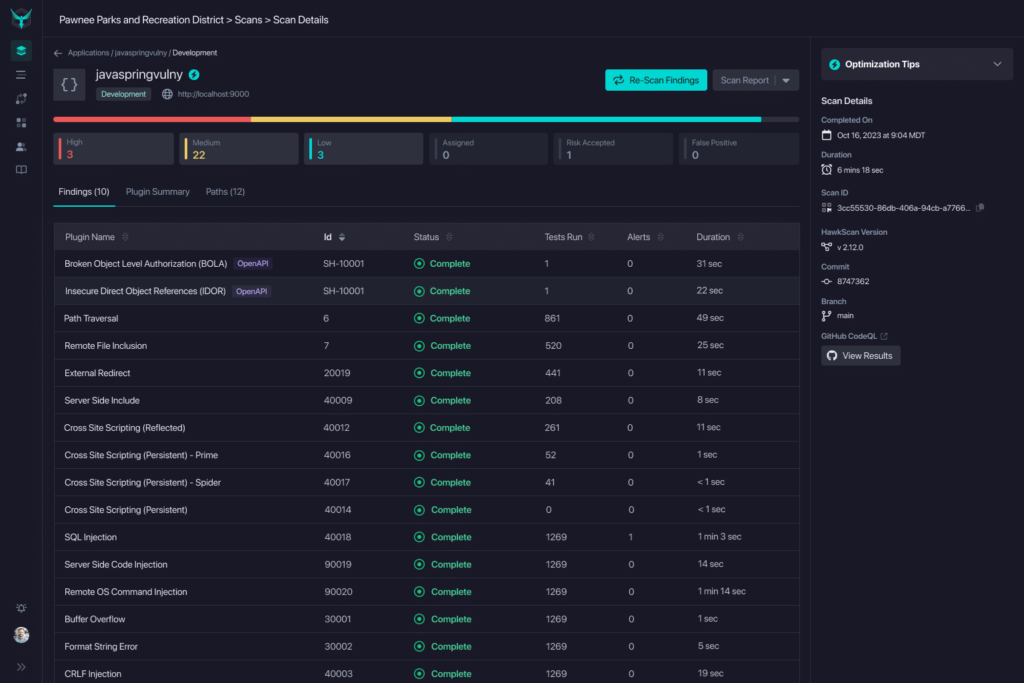
StackHawk is a dynamic application security testing (DAST) tool focused on catching and fixing API security issues. StackHawk integrates easily with CI/CD pipelines, helping you to automate security tests for common risks like those in the OWASP Top 10. It also provides clear, developer-friendly reports and advice on remediating any issues.
Postman
Postman is one of the most popular tools for API testing and development, offering a user-friendly interface for sending requests, viewing API responses, and creating automated tests. It supports various HTTP methods, parameterization, test scripting, and CI/CD integration, making it versatile and easy to adopt.
JMeter
Originally designed for load testing, JMeter has also become a go-to for functional API testing. It supports many protocols and offers tools for creating test plans, running tests, and analyzing results, making it a solid choice if you’re looking to test how your API performs under different loads.
SoapUI
If you’re working with SOAP or REST APIs, SoapUI is a comprehensive tool with strong support for both. It has a graphical interface for functional, security, and performance testing and offers options for scripting and automation, making it a well-rounded choice.
Katalon Studio
Katalon Studio supports both API and UI testing, providing an intuitive interface, built-in keywords, and integrations with various tools. It’s beginner-friendly but also powerful enough for experienced testers, so it’s a flexible choice if you’re looking to test both APIs and UIs in one place.
Each of these tools has its own strengths, so consider what you need most—whether it’s a focus on security, automation, or load testing—to find the right fit for your project. Ultimately, the right set of tools can make API testing more efficient and thorough, testing APIs from every possible angle.
Overcoming Challenges in API Testing
API testing can be tricky, with some unique challenges that come up along the way. Here are a few common issues you might face, and some practical tips to overcome them:
Managing Authentication – Tokens expire, and credentials vary across environments. Getting around issues regarding this might include storing test credentials in environment variables, implementing automatic token refresh in test setup, and using dedicated test accounts with appropriate permissions.
Test Data Management – Multiple tests can interfere with each other and affect data integrity between tests. Create fresh test data before each run using unique identifiers (UUIDs, timestamps), clean up after tests complete, and consider using database transactions that rollback or a dedicated test database.
Testing Asynchronous Operations – Some APIs return immediately but complete later. Test that the initial request returns 202 Accepted, implement polling logic to check status endpoints, set reasonable timeouts, and verify completion through status endpoints or webhooks.
Third-Party Dependencies – You can’t control external services. Use mocks or stubs for external services in most tests, maintain a small suite of integration tests with real APIs, and run integration tests less frequently than unit tests.
Rate Limiting – Testing can trigger rate limits. Test rate limiting explicitly with dedicated cases, add delays between requests if needed, use separate API keys for testing, and configure higher limits for test environments.
Conclusion
API testing is a critical part of delivering quality software. By thoroughly testing APIs throughout the development process, you can catch and fix potential issues early, cutting down on development costs and helping ensure a smooth, reliable experience for your users. As you build API testing into your workflow, keep refining your strategies, exploring new tools, and staying ahead of emerging security threats.
Enhance your API security testing with StackHawk. Its user-friendly platform and seamless integration make incorporating dynamic application security testing (DAST) into your development workflow easy. Schedule a demo today to see StackHawk in flight. API Top 10 within minutes.